Things I Wish I Knew Before Enabling Feature Toggle In My Application
Lições práticas de arquitetura sobre Feature Flags: estratégias de cache, UX, ciclo de vida de toggles e como evitar dívida técnica no frontend.

Feature toggle (aka Feature Flags) is a technique in software development that attempts to provide an alternative to maintaining multiple source code branches to modify system behavior without changing code.
Activating and deactivating the features guarantees a better response time in the event of a failure occurring in the middle of this process, for example: after some time of an activated feature you notice through the logging dashboards a high number of errors coming from the new code flow added. The monitoring power is decentralized and can be used by the engineering and product team as well, ensuring a response time much faster than a new deployment in many scenarios
After many experiences, the objective of this post is putting some important points to be aware of before creating feature toggles in your application.
Types of Toggles
First of all it is important to understand what different types of toggles exist today
- Release Toggle: Generally used with Trunk Based Development, this type of toggle provides a way to put incomplete and untested functionality into production. The code is always ready to be deployed to production without side effects. The life expectancy is a few days.
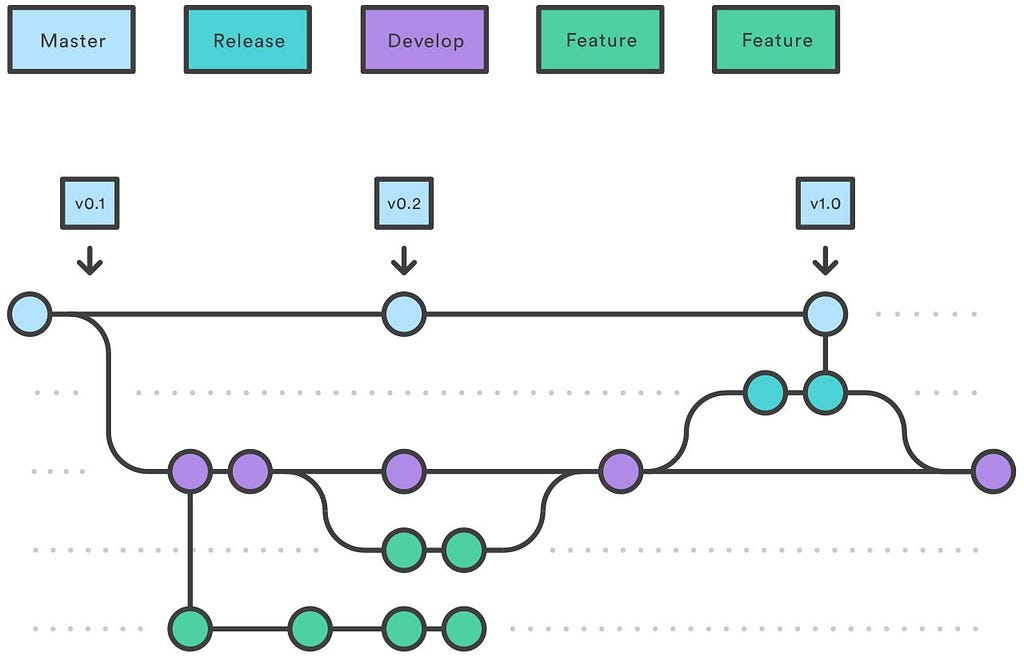 Gitflow Release Branch by Atlassian
- Experiment Toggle: Used to test a theory, it is generally used in controlled A/B tests.** The life expectancy is **a few days or weeks, that is, when the testing of the theories ends.
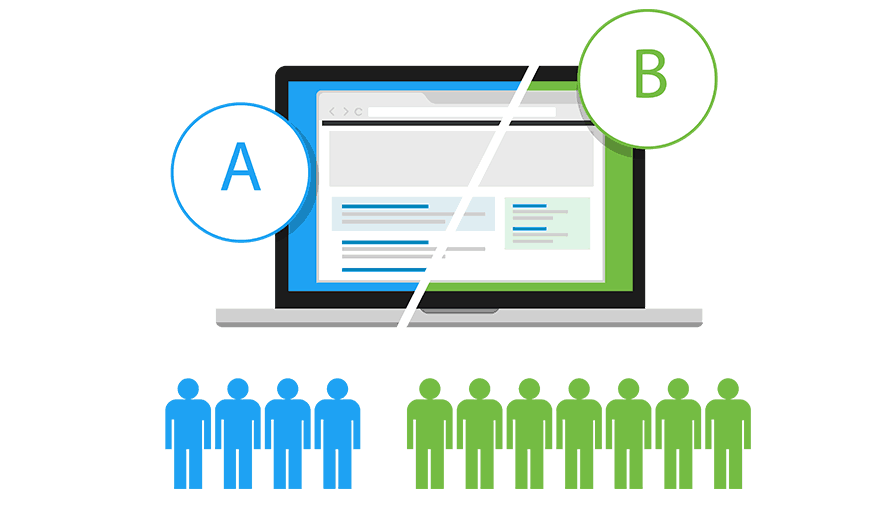 A/B Test
- **Ops Toggle: used to roll out a feature and test on a small amount of user portions and gradually release to everyone. The life expectancy is **long life (months/years)
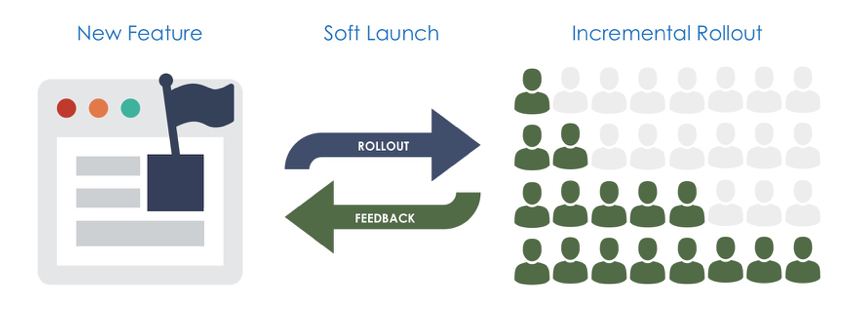 Soft Launch by LaunchDarkly
- Permission Toggle: Most used to control access to a feature, that is, features only released to specific users, for example. The life expectancy is long life (years)
 Netflix Streaming Plans
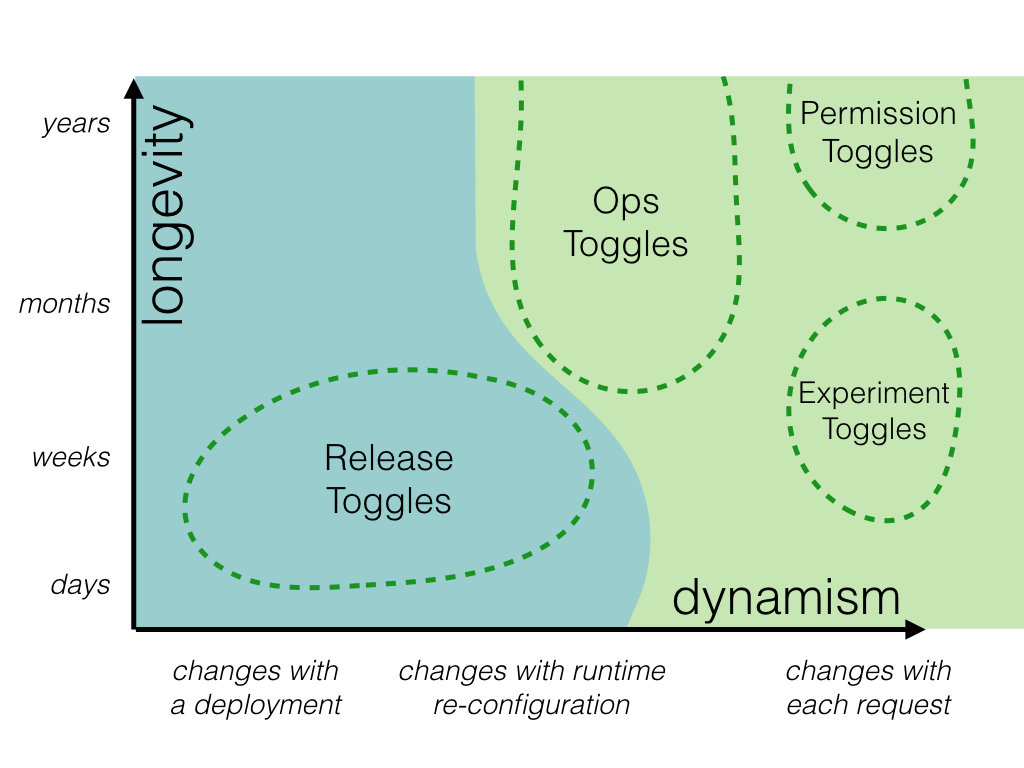
These different types can be summarized in this graph which is represented as: on the Y axis is time and on the X axis is how toggle is activated or deactivated.
The solution
The most difficult decision is to decide which solution will be adopted, in other word, how you will adapt your code to provide a way simpler to enable or disable features without require any deploy.
There are usually two paths you can take:
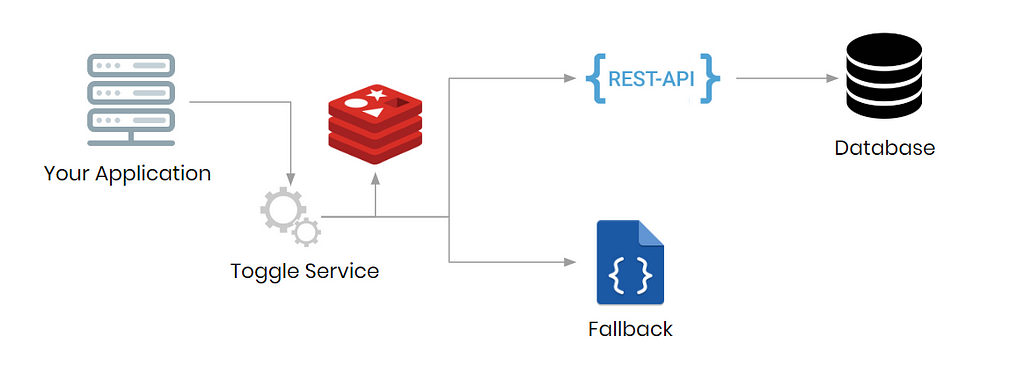
- Homemade solution: The biggest advantage of this approach is to create a solution that meets your use case 100%, here is an example of how this type of application generally works:
- In summary, your application queries a service called toggle service, that service is responsible for caching the toggles and search for toggles if can’t find it on cache and that consequently search the database. If something goes wrong you need to provide a fallback with either a local or hosted file (S3 or similar) with the status of all toggles usually disabled.
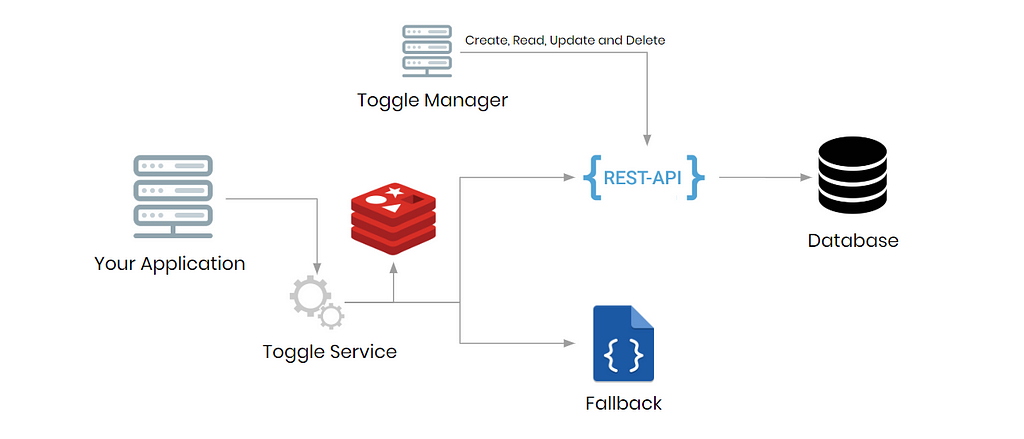
- Optionally, you can include a frontend that manages these toggles:
- Ready-to-market solution: After some time of popularizing toggles some ready-to-market tools have been created to meet this requirement, here are some ready-made solutions: LaunchDarkly, fflip, Firebase Remote Config and Unleash, among them the most complete and which is also paid for is LaunchDarkly.
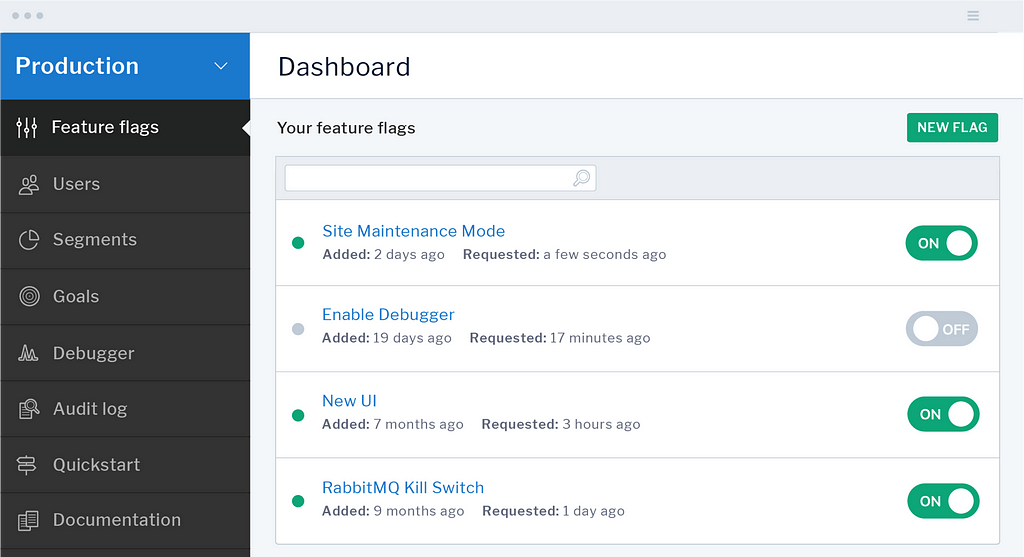 LaunchDarkly dashboard example
- The most important thing when analyzing these tools is if these tools has all the types of toggles that you are planning to do, whether it has an SDK for your project’s technology or the integration will have to be done via REST, this factor can greatly increase the complexity of implementation.
- And not least the price is a decisive factor, in this scenario i recommend Unleash: is a very complete solution, has official SDK’s for: Java, Node.js, Go, Ruby, Python and .Net and it’s open sourcered.
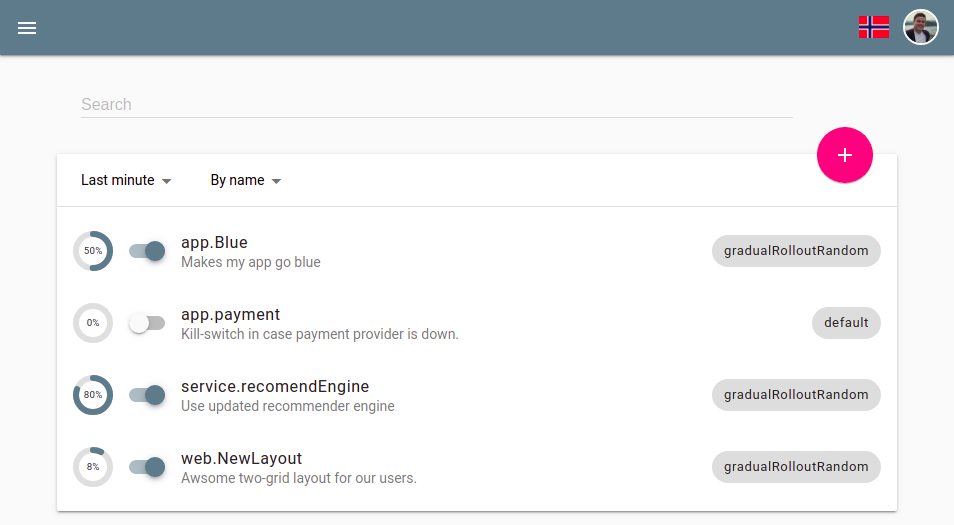 Unleash dashboard
Time to Response
In all solutions proposed here, a cache solution is implemented, it is important to make this decision because in times of failure it is this point that will “catch fire” if your application is broken.
Ask yourself about:
- What is the user’s average usage time while using the application?
- What will be the caching time for toggles?
- If the application breaks, what monitoring of yours will say this?
All of these questions can change dramatically depending on the type of project you are developing and also involve improving response times if something goes wrong and does not affect the user experience when this happens.
User Experience
This topic it varies a lot depending on the type of project you are creating, but an important rule that you can take for any application is
Activating and deactivating a toggle should never interfere with the user experience when using any existing feature visible to the user
Especially in frontend projects where you can have a long user flow, there are three ways to fetch the state of toggles, in other words, if they are activated or not.
- When log-in: If you had nothing special on your initial page and the UX always starts on the log in page, generally this is the most recommend time to fetch toggle state.
- When the page loads: If your page did not have log in and has important feature when initial loads, this is the time when you will fetch the toggle state.
 Amaro.com loading page example
- **Every time when needed: **This approach specially fits well with REST API with independent endpoints. The main problem with this approach could be repetition. Sometimes in frontend projects that use component-based architecture, it may be that you have parent-to-child components that need to look at the same state as the toggle, to achieve this and not “refetch” the toggle every time, a customized implementation will have to be made in your application, increasing the complexity of the features
My two cents
Here are my two cents, with my past experiences when creating toggles:
- A toggle is a technical debt treat it like, some time you have to delete it, and how debt works in real life, over time it becomes more “expensive”.
- Define the type of toggle and life expectancy before starting to implement.
- When removing a toggle, is recommend to not refactor the flow.
- When placing a toggle, do not touch the old business logic.
- Tests should cover code variations, even if they are temporary.
- Do not forget about what type of user will use feature toggle application, users a.k.a developers and other persons like (Product Owner, Product Manager, Scrum Master. etc…), give them a simple way of understanding what feature toggles are, what types exist, what they are made for and most important how they activate or deactivate.
- Following the latest Technology Radar about Techniques, keep your feature toggle simple as possible
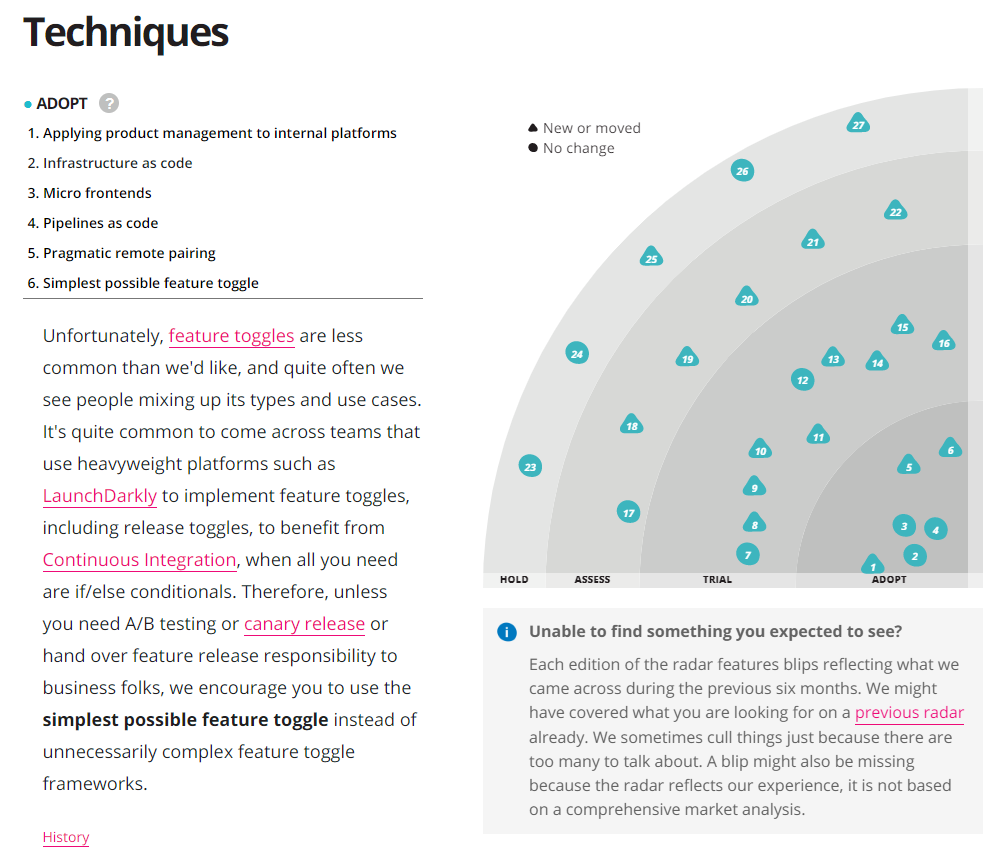 Technology Radar 2020
Things I Wish I Knew Before Enabling Feature Toggle In My Application was originally published in ITNEXT on Medium, where people are continuing the conversation by highlighting and responding to this story.
Gustavo Miranda
Software Engineer @ Uber • ex @CI&T • @gstvribs
Global-Scale Software Engineering & Platform Architecture